Triggers
React to real events — a job closing, a contract lapsing, a payment failing.
Business automation across products — when this happens, do that — so routine follow-through stops depending on somebody’s memory on a busy day.
$39/month · 14-day free trial
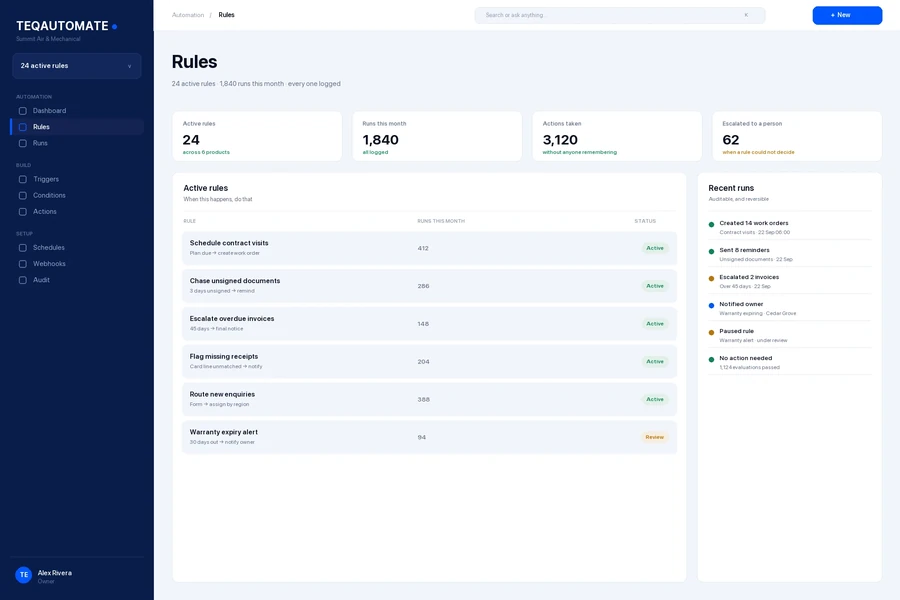
Rules · Summit Air & Mechanical
The problem
Every business has a dozen small obligations: chase the unsigned document, schedule the visit the contract promised, flag the account that has gone quiet. They are all easy, and they are all the first thing dropped when the day gets busy.
What it does
React to real events — a job closing, a contract lapsing, a payment failing.
Branch on the data, so rules fit the situation.
Create records, send messages and update fields across TeqOne.
Recurring checks that do not rely on a calendar reminder.
Route to a person when a rule cannot resolve something.
What ran, when, and what it changed.
How it works
Step 1 of 4
A job closes, a document goes unsigned, a visit falls due.
Step 2 of 4
The rule decides whether this case qualifies.
Step 3 of 4
Records created, messages sent, fields updated.
Step 4 of 4
Every run auditable, so automation stays accountable.
Better together
Nothing here is required. Each one is there when the need is real.
Questions
No. Rules are built from triggers, conditions and actions in the interface.
Every run is logged and reversible where the action allows it. Start rules in review mode before letting them act.
Yes, via webhooks and supported integrations, so existing systems stay in the loop.
Try it free
Fourteen days, the full product, no card required. It joins the company you already run.
Also in the ecosystem